
For Sponsored accounts, your Yoursafe App and Yoursafe Website help you manage your ABC Account anytime, anywhere.
They let you see your balance, check payments, and keep your account safe.
What you can do with the App or Website
You can use the Yoursafe App or the website to:
- Check your balance – See how much money is available on your card.
- See your transactions – Check where and when you spent money.
- View incoming payments – See when your Sponsor sends new money.
- Change or choose your PIN code – Set a new PIN if your Sponsor allows it.
- Get help or contact support – Find support details directly in the App or online.
Using the Yoursafe App
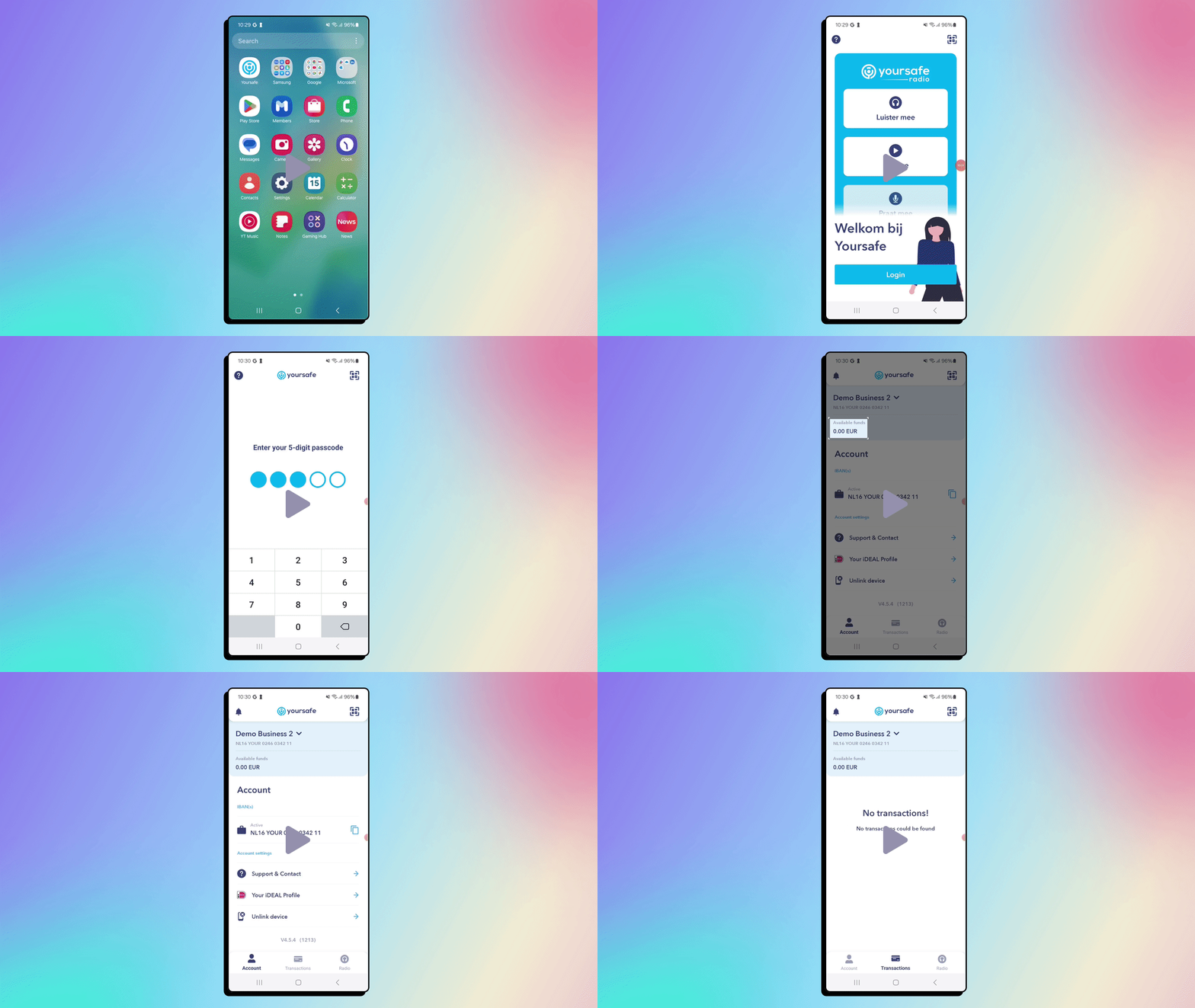
The App is the easiest way to check your account:
- Download the Yoursafe App – Go to Google Play Store (for Android) or Apple App Store (for iPhone). Search for “Yoursafe” and download it for free.
- Log in safely – Use your registered email or your activation code (if this is your first time). You may receive a one-time link or code to confirm your identity.
- See your account overview – Once logged in, you’ll see your current balance and latest transactions. Tap on any transaction to view more details.
- Security first – Always log out when you’re done. Never share your login link or code with anyone.
Using the Yoursafe Website
Currently website functionality does note exist for members of our German sponsor programs.
Safety tips
- Never share your login details or codes.
- Only use the official Yoursafe App or website (not links from messages or emails).
- Log out after checking your account, especially on shared devices.
In short
The Yoursafe App and Website give you full control over your ABC Account.
They’re easy to use, safe, and available anytime — helping you see your money, track spending, and stay secure.
Comments
0 comments
Please sign in to leave a comment.